How can I Upload my Leads Into Pitchlane
Wondering How to Upload New Leads? Look no further.
Updated
Don’t have a lead list yet? Build one in GetLeads: search by job title, industry and company size, export with the company website column, and start on 1,000 free credits. It is the lead source we recommend first.
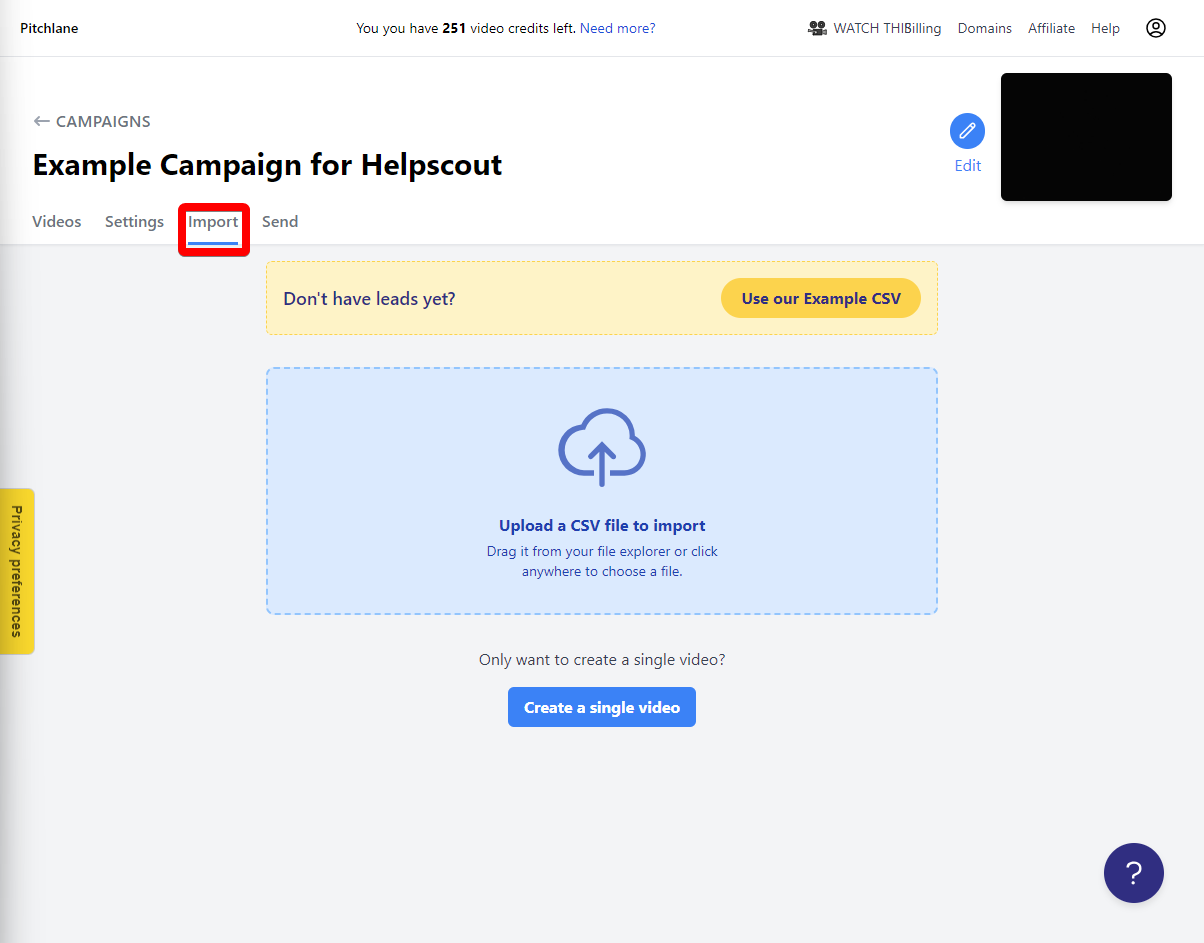
1.) Navigate to the “Import” tab of your campaign.
2.) Select “Upload a CSV file to import”
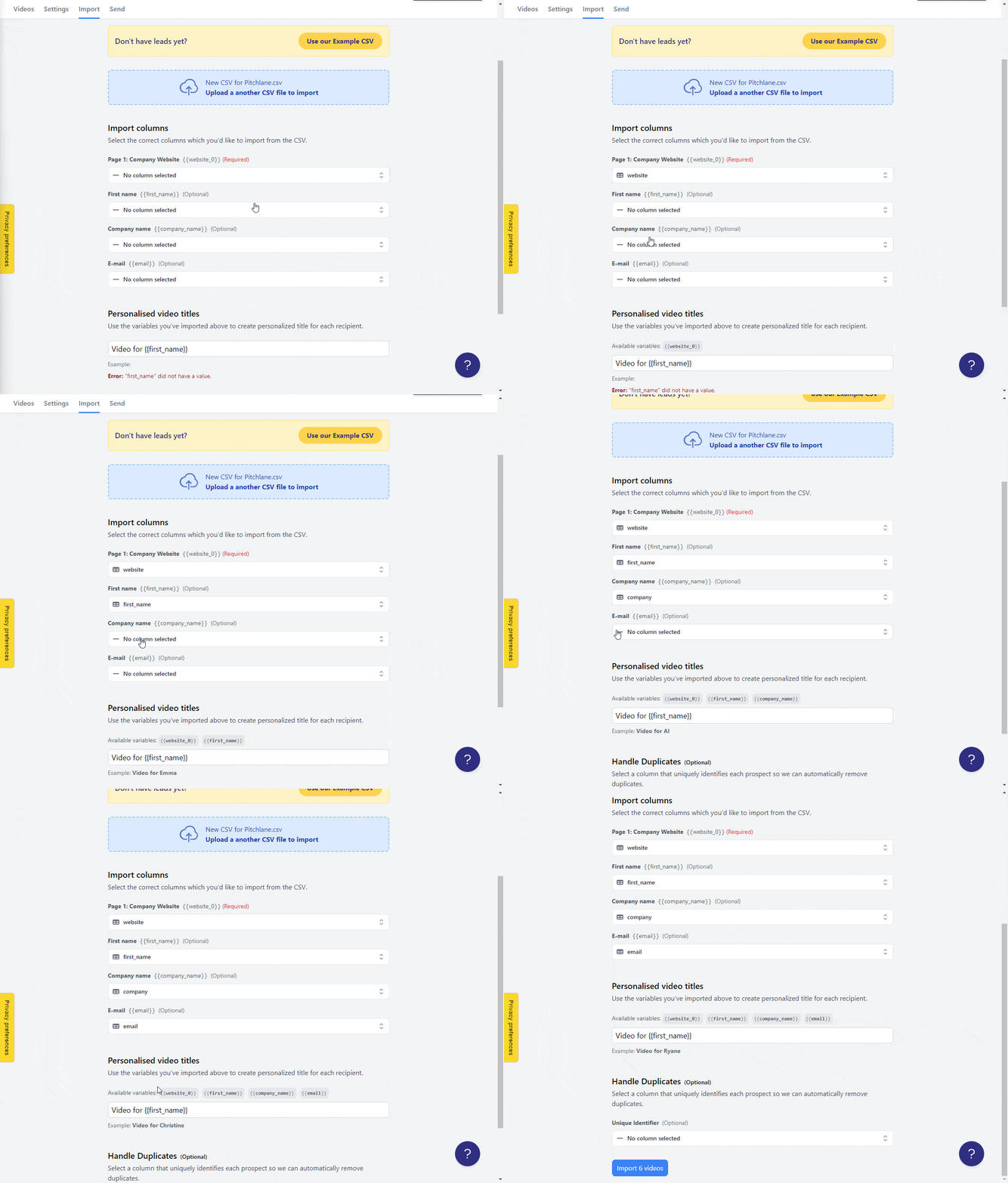
3.) Upload your lead list and map your CSV to the fields!
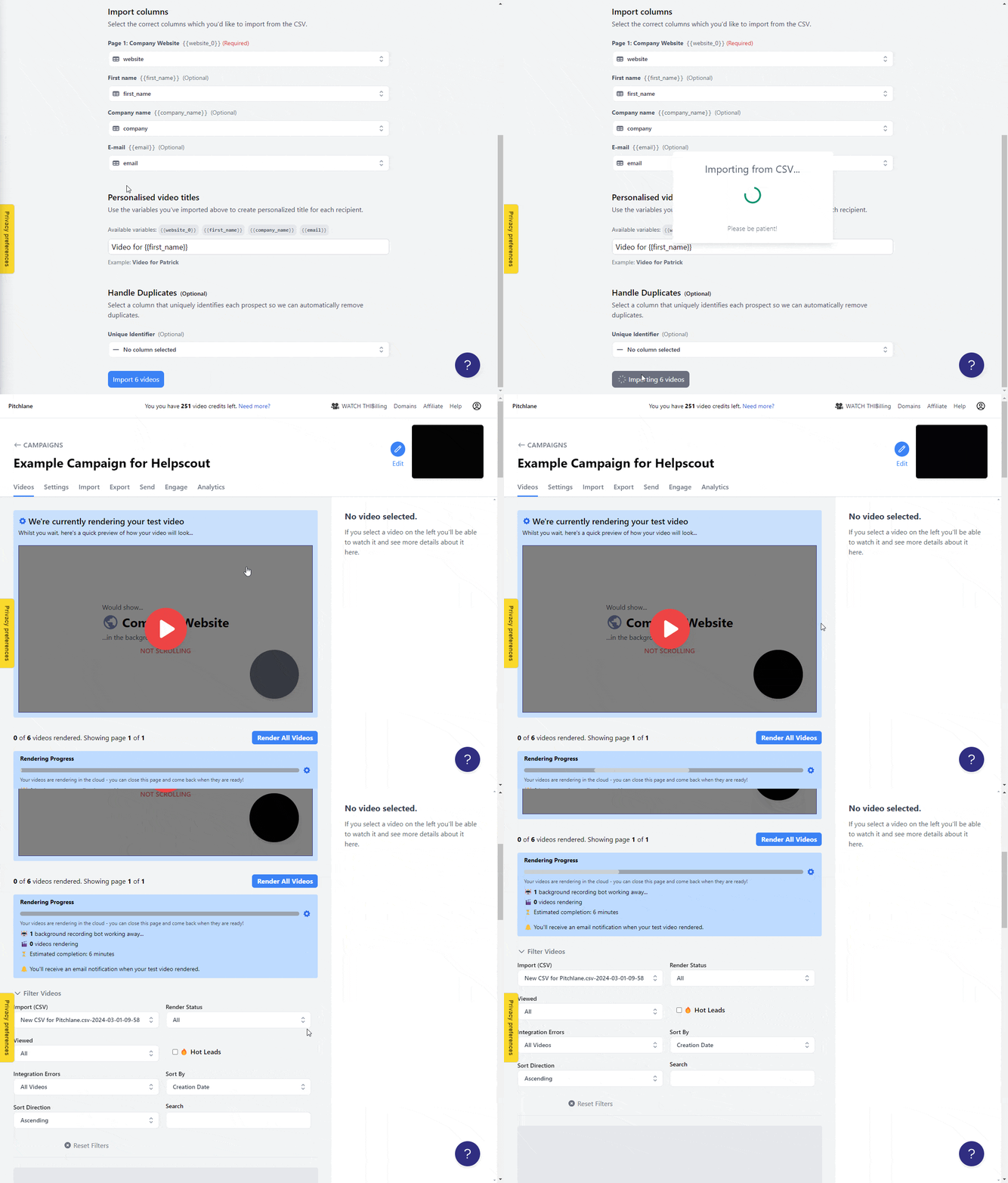
4.) Select Import Videos!